
In the last blog post we discussed the very basics of BIM, things like its definition, its purpose, and the programs used in it, mainly Revit and Navisworks. When I explored Revit in the last post I went through the four processes, dimensioning, tagging, modeling, spooling, and scheduling. But honestly that’s not even the actual Revit basics, rather those are the basic things that can be done in Revit. So in this blog post we’re going to explore the actual basic functions of Revit. Starting with the first thing I ever learned, Grid lines.
What is a Gridline?
A gridline is an annotation tool that is used to organize the model, basically big lines that go across the screen you can base things off of. It’s kind of hard to explain but imagine you’re in a building and there’s a column next to you, then 2 feet from the column there’s a water heater. When they’re constructing the building field workers don’t know where to put the heater unless they know how far away it is from the column, both horizontally and vertically. If they are basing their construction on shop drawings given to them something would need to stand in for that column so they know where to put the water heater. That’s where gridlines come in, they stand for walls, or columns in the building so that the field workers can measure off it using the given dimension in the shop drawings to know where to put whatever they are installing, whether thats a pipe or a piece of equipment. Grid lines are a essential part of BIM work.

What is a Family?
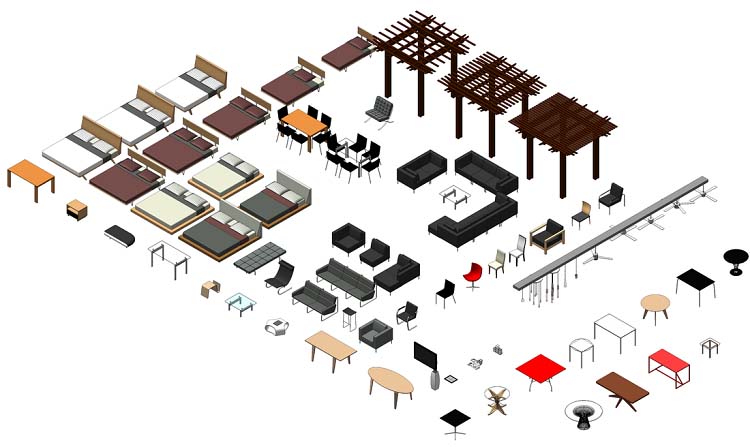
In Revit families are a collection of objects, and all of them have identical uses, for instance it could be a desk, there would be a Revit family of just desks. They might have parameters that are different and the geometry of the object could be radically different, but it’s used as a desk so it goes under the family of desk. That’s basically it, honestly there’s not a whole lot else, that the basics of course there’s a lot more stuff but it would be like 20,000 words to explain all the actual “basics”.

 The Golden Thread
Leave a comment